If the class expects something clean and typed, pick text. If the worksheet should still
look handwritten, pick handwriting.
Pick one above, text or handwriting, to continue.
Example
This is what Fillscribe can do.
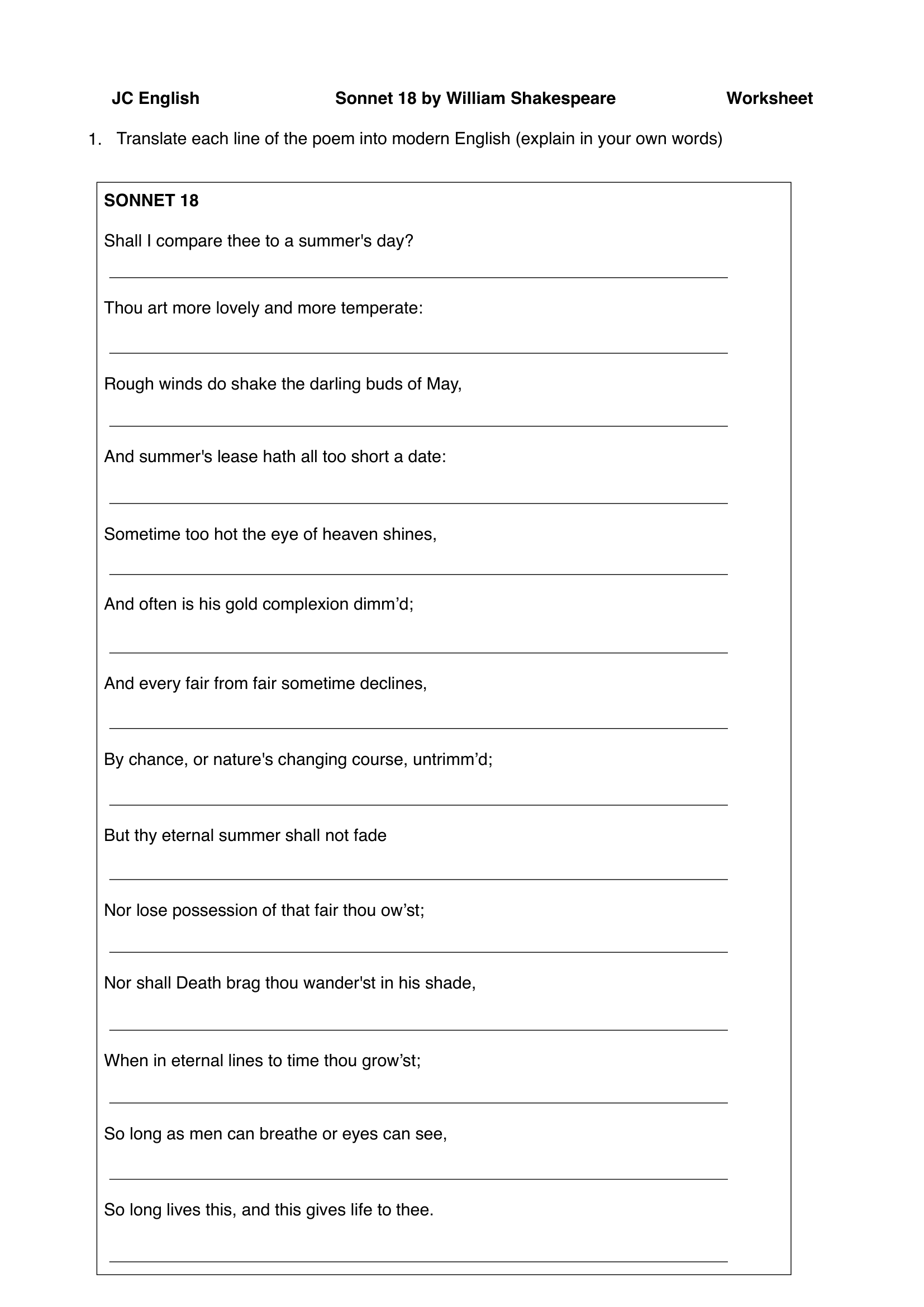
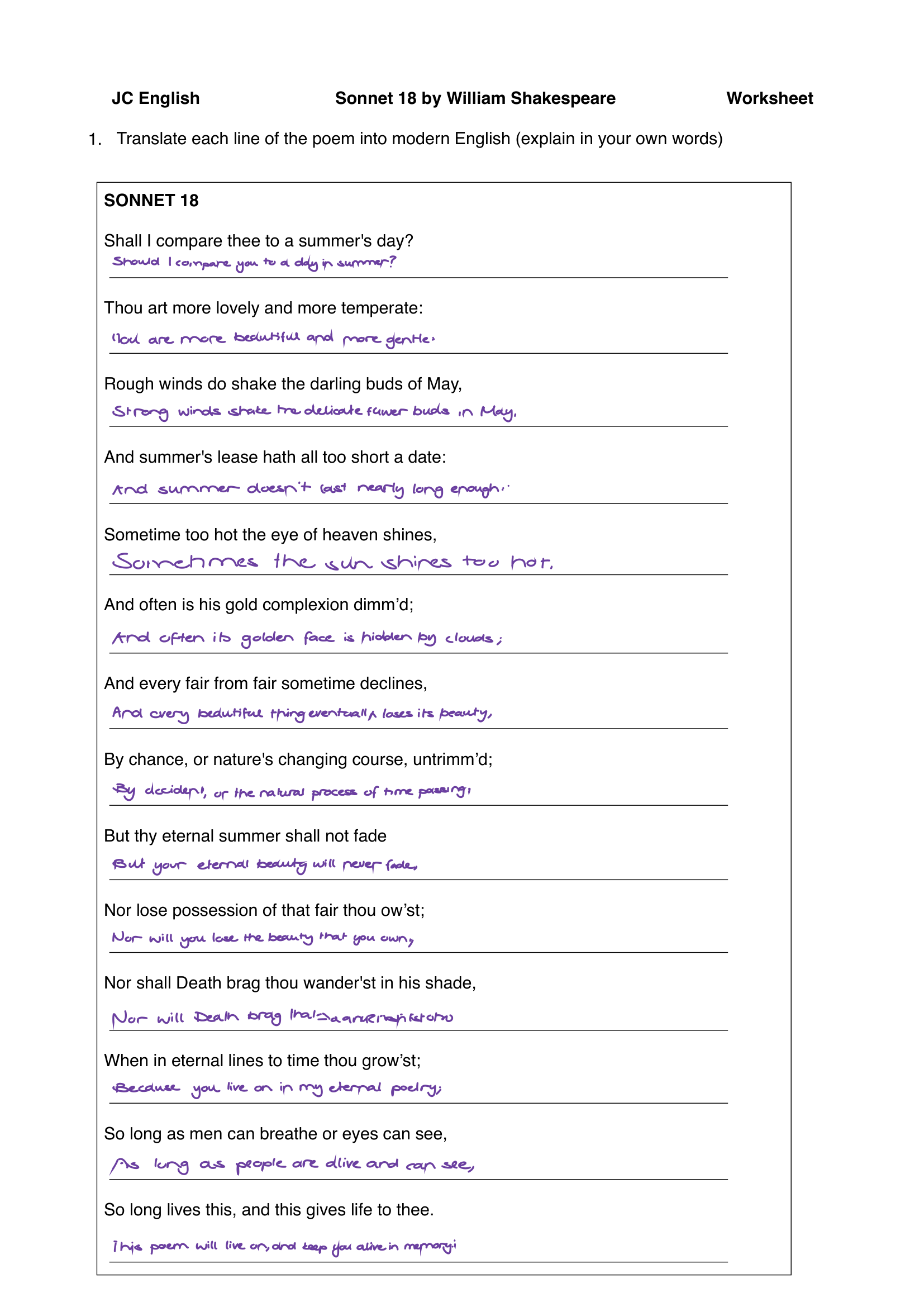
A blank Sonnet 18 worksheet goes in. A finished version comes back with the answers placed on the page.
Your next steps just pick how that finished page should look.
Before
->
After
Reads the worksheet.Finds the blanks.Writes them in as handwriting or clean text.
Text
Keep the page clean.
This part is just presentation. Pick the type size and ink tone that fit the worksheet,
then let the writing sample handle the tone.
1.I'd put transfer RNA.
2.Probably promoter sequence.
Font
Pick the typed look you want on the page.
Type size11.5pt
Smaller looks tighter. Bigger looks a little more open.
TightOpen
Ink
Match the page instead of fighting it.
Text
Your text setup.
This is what we'll save as your default text setup.
Using your writingText
I'd put transfer RNA.
Probably promoter sequence.
Structural support works here.
Handwriting - Step 1 of 3
Whose handwriting is it?
Yours is best: every worksheet then looks like you wrote it. Pick how much to teach it. You write each
prompt once with an Apple Pencil, and every choice includes the one above it.
You start after setup, from your workbench. Short on time? Skip at any point: what you've written stays
saved on this device, and your workbench shows how to carry on. Until yours is ready, worksheets are
typed.
Handwriting - Step 2 of 3
How neat should it be?
Neatness is the control that matters most. Higher is tidier and easier to read. Lower looks more hurried.
promoter sequence
Neatness62/ 100
LooseCareful
Handwriting - Step 3 of 3
Pick an ink color.
Match the worksheet. Blue, black, softer pencil-looking tones, whatever fits best.
enzyme catalysis
Handwriting
Your handwriting setup.
This is what we'll save as your default handwriting setup.